For advertisers
Pay for lessons finished, not impressions served.
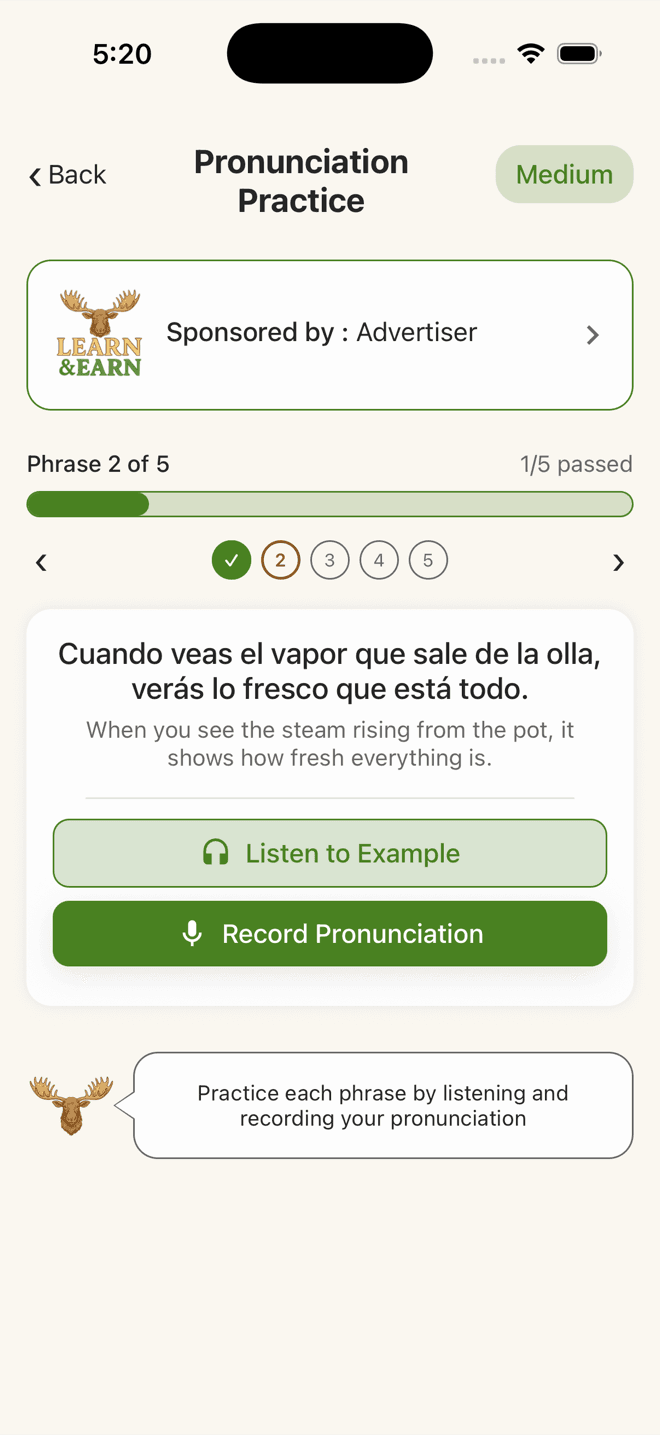
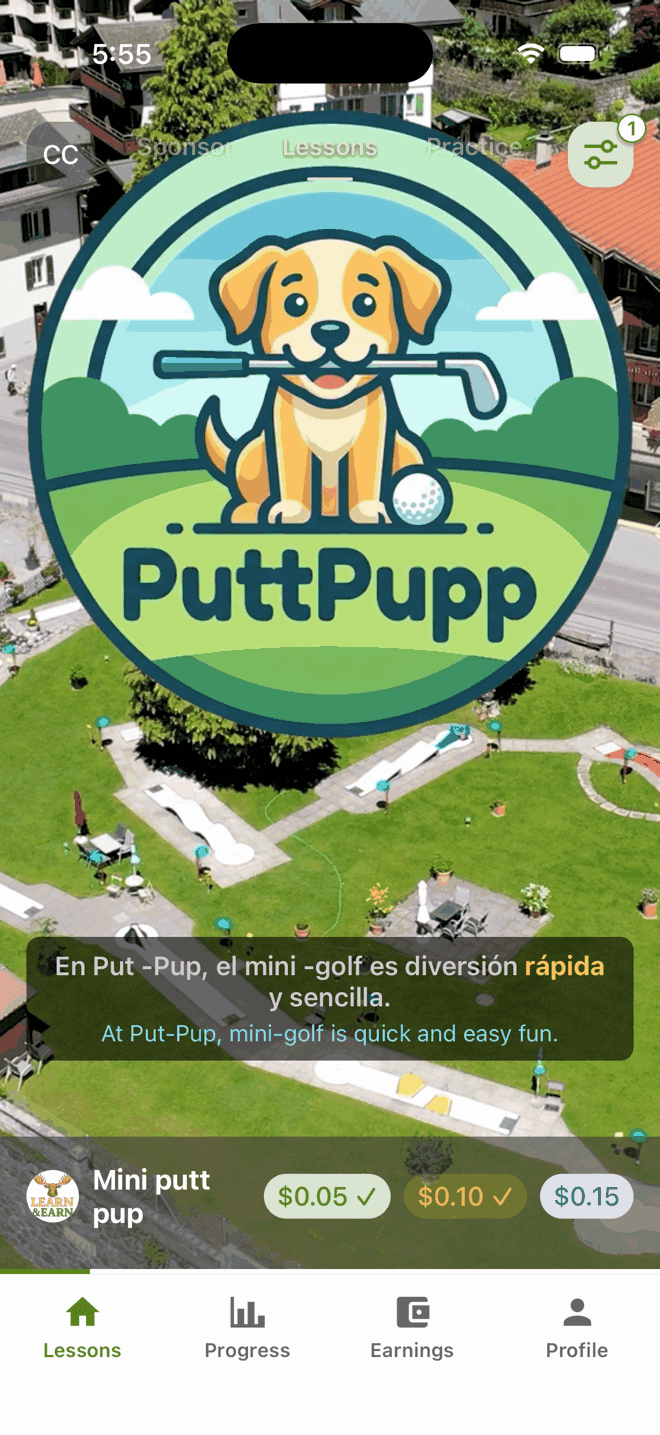
Your video is the first step of a language lesson: a learner watches it through, then practises phrases drawn from it. You are charged when a lesson is completed. An abandoned lesson costs you nothing.
From upload to first completed lesson
Four steps, all of them in the console. Every campaign is read by a person before it reaches a learner.
- 01
Build the campaign
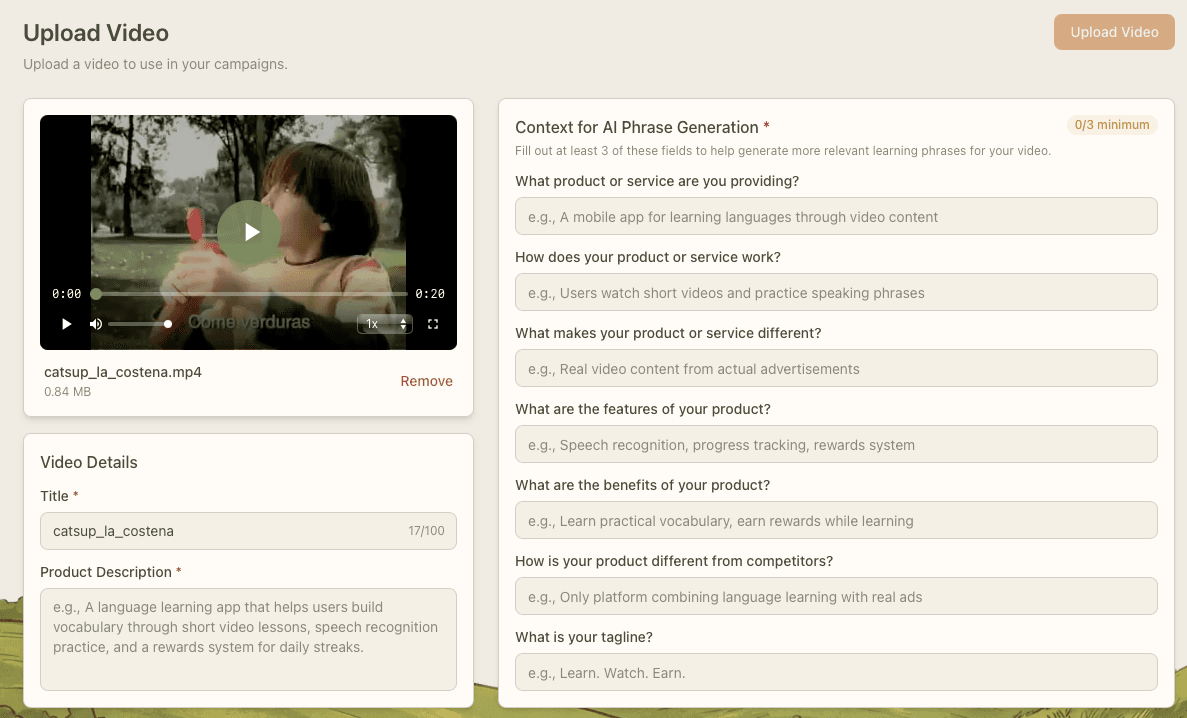
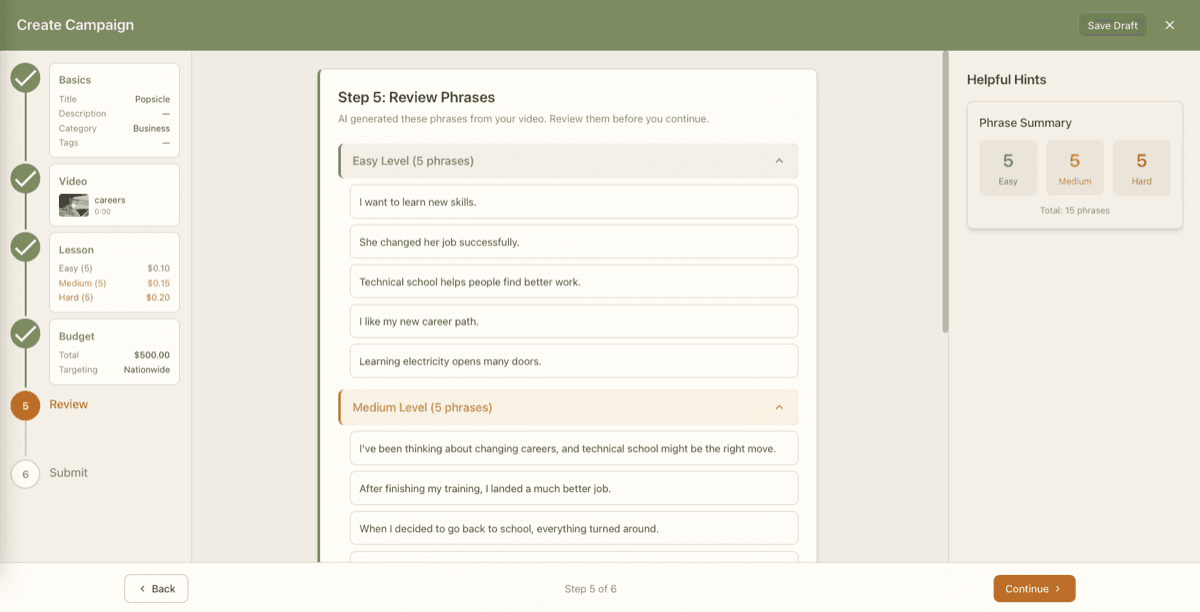
Upload your video and review the phrases generated from it. Each campaign carries three lessons — Easy, Medium and Hard — and you choose what a learner earns for each one.
- 02
Fund it
The console quotes your rewards, the platform fee for each difficulty and the campaign creation fee before you submit. Funding runs through PayPal.
- 03
Human review
A member of our team reviews every campaign before it goes live. The console states a turnaround of 1-2 business days.
- 04
Delivery and reporting
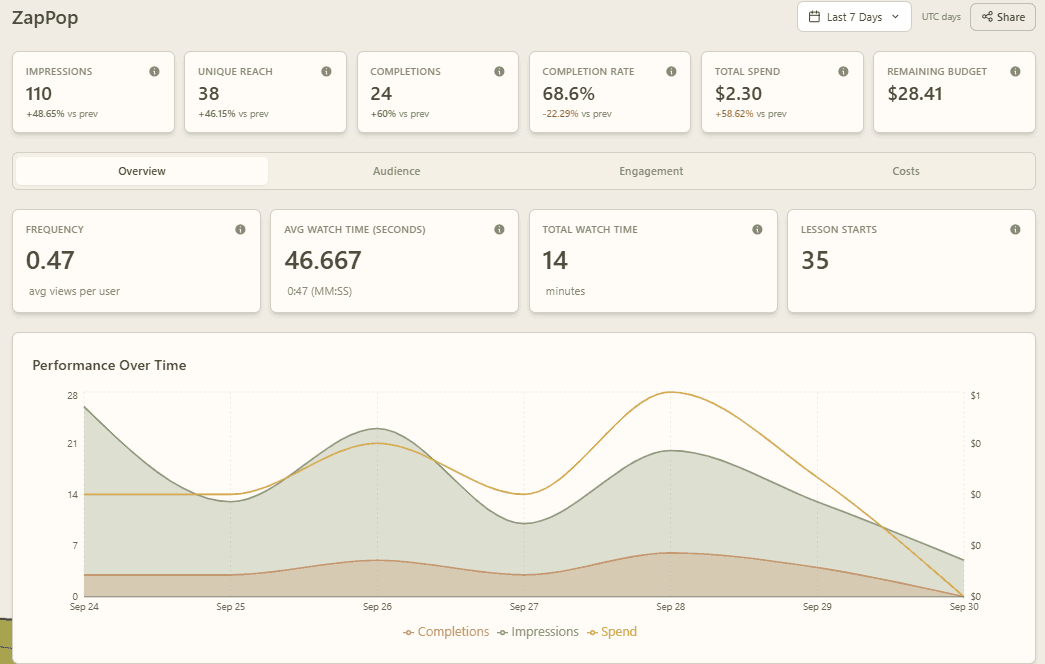
Once approved, the campaign enters the learner feed and the dashboard starts filling in — impressions, lesson starts, completions and spend.
What it costs
Three components, and only one of them recurs with volume. We publish the structure here and the exact rates in the console, where they are quoted against your own account before you commit.
The reward you set
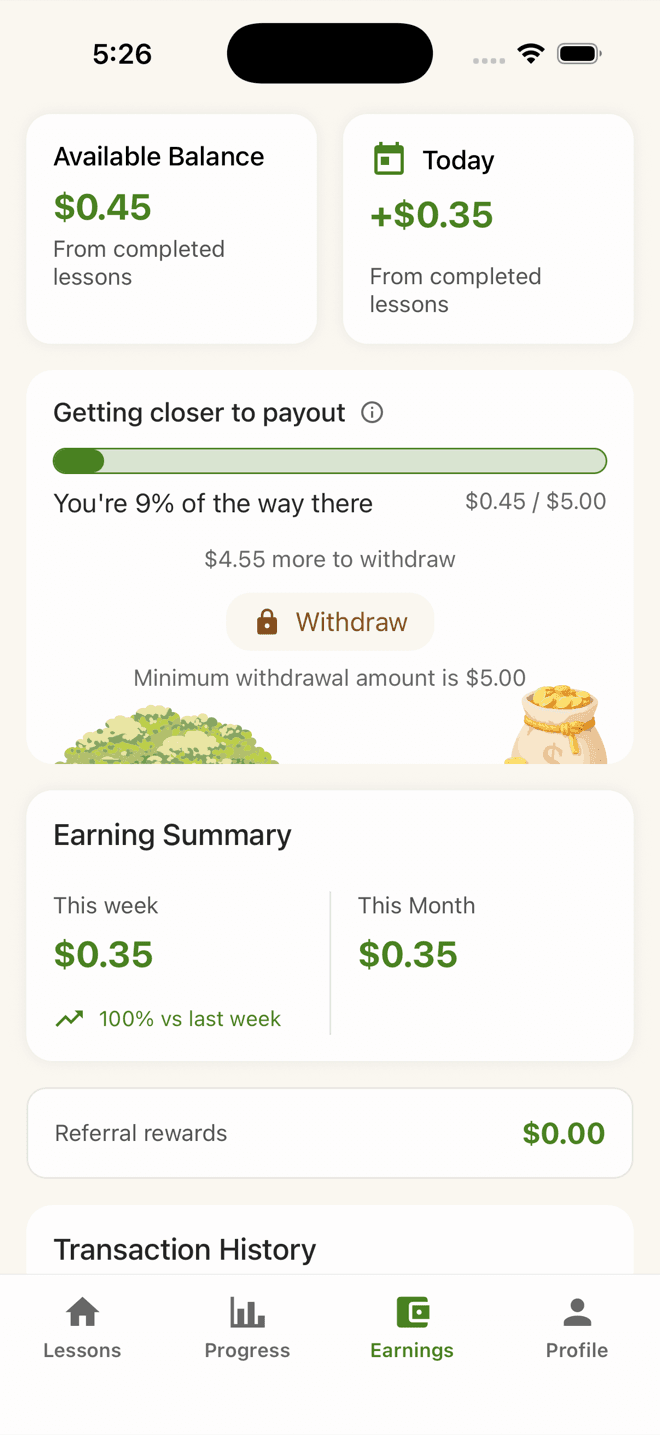
You choose what a learner earns for each of the three difficulty levels. That amount goes to the learner who completes that lesson.
A platform fee per completed lesson
A flat fee per completed lesson, set separately for Easy, Medium and Hard. It is charged on completion — never on an impression, and never on a lesson a learner abandons.
A campaign creation fee
One flat fee, charged when you submit a campaign for review.
We deliberately do not print rates on this page: they are account-level settings and can be adjusted per advertiser, so any figure here would be wrong for someone. The console shows a full quote — rewards, per-difficulty fees, creation fee and total — before you submit.
What you can measure
The campaign dashboard reports on delivery, attention, learning and cost. Everything listed here is a metric the console renders today.
Delivery
Impressions, unique reach, frequency, and a daily breakdown across the window you select.
Attention
Average and total watch time, and how far into the video learners got, in quartiles.
Lessons
Lesson starts, completions and completion rate — the numbers your spend is actually tied to.
Difficulty split
Completions broken out across Easy, Medium and Hard, so you can see which lesson learners finish.
Cost
Total spend, platform fees paid, remaining budget, cost per impression and cost per completion.
Budget runway
Daily burn rate and a projected exhaustion date, so a campaign does not go quiet without warning.
Audience mix
Age, gender, device, country and learner interface language. Small groups are aggregated or withheld, and the dashboard says so where that happens.
Learning quality
Phrase-level accuracy, first-attempt rate and the phrases learners find hardest.
Advertiser questions
The six we are asked most.
What exactly am I charged for?
Completed lessons. When a learner starts a lesson, the reward and the platform fee are reserved against your budget; if they abandon it, the reservation is released and you are charged nothing. No payment is ever triggered by an impression.
How long does approval take?
Every campaign is reviewed by a person before it can be delivered. The console states a turnaround of 1-2 business days.
How do I fund a campaign?
Through PayPal, from the advertiser console. The console quotes the full amount required — rewards, per-difficulty platform fees and the campaign creation fee — before you commit.
Can one learner earn from my campaign repeatedly?
No. Each of the three difficulties pays a given learner once. They can repeat a lesson to practise, but a repeat carries no reward and no charge to you.
What happens when the budget runs out?
Delivery stops. The dashboard tracks remaining budget, daily burn rate and a projected exhaustion date so you can top up before that point.
Which languages can my campaign reach?
The same six the app supports: English, Spanish, Portuguese, German, French and Italian. Learners practise in the language of your video, unless that is already their native language, in which case they pick one of the other five.
Put your video in front of learners who finish the lesson.
Build a campaign in the console and see the full quote before you commit. If you would rather talk it through first, write to us.